


Shire Reeve
Crime on a map, and public wanted notices, from the sources that publish them.
Shire Reeve puts police-published crime data on a map — England, Wales and Northern Ireland from data.police.uk, plus ten US cities from their own open-data portals — and shows public INTERPOL and FBI wanted and missing-person notices. Watch the places you care about, follow a notice for changes, and keep a private log of anything you see. The official tip line is the first action on every notice. No account, no ads, and nothing shared unless you choose to share it.
Coming to iPhone · iPad · Mac · Apple Watch
Coming soon to the App Store
Free. No ads, no subscription, no in-app purchases.
- No Shire Reeve account or sign-in
- No ads, analytics or tracking
- Free, with no purchases
- Sharing is opt-in and off by default
What does leave your device is said plainly in the privacy notice: the map asks the police and city data portals for the area you are looking at, and a sighting you choose to share goes to a public pool other users can read, reduced to a roughly 1 km area and the hour.
Shire Reeve is independent. It is not affiliated with or endorsed by INTERPOL, the FBI or any police force, and it shows their data as published. Never approach anyone you think you recognise: use the official tip line, and if anyone is in danger, call your local emergency number (999 or 911, for example). A Red Notice is not an arrest warrant, and the person named is presumed innocent.
What it does
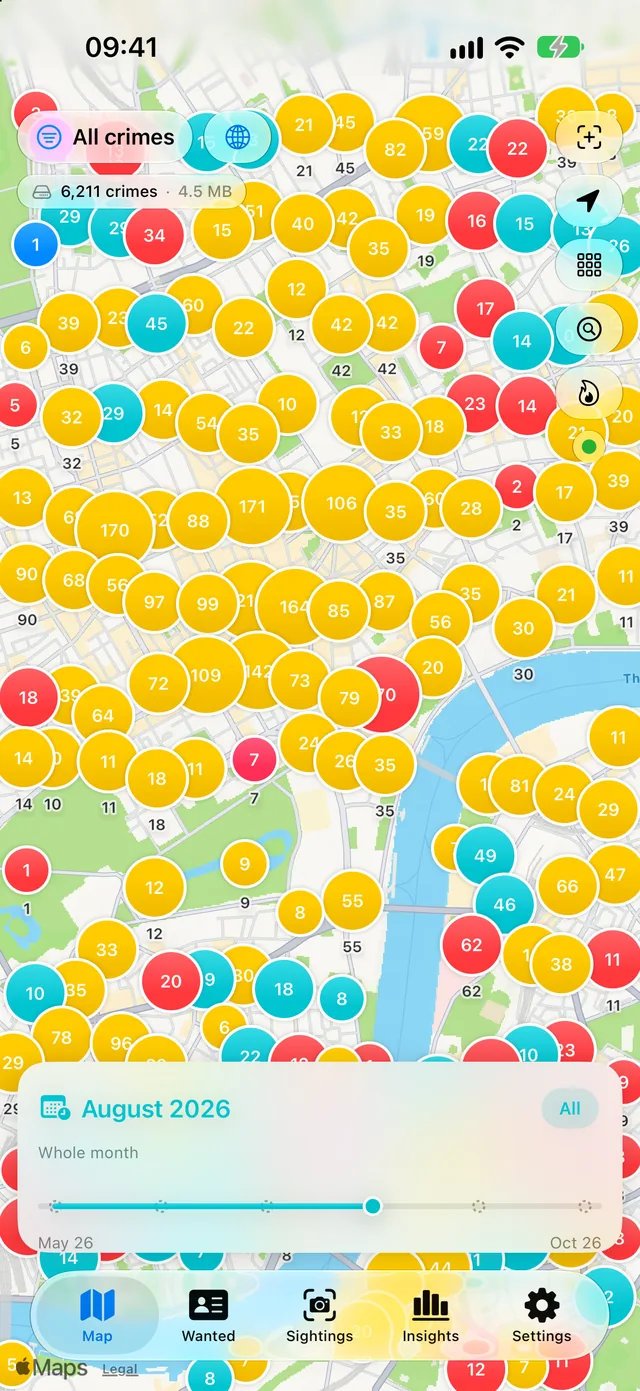
Shire Reeve answers a plain question — what has been happening around this place? — from the people who record it. Crime comes straight from police and city open-data portals and is shown as published, with the month it was recorded. Public INTERPOL and FBI wanted and missing-person notices sit alongside, and every one of them leads with the official way to pass on information.
Every incident, up close
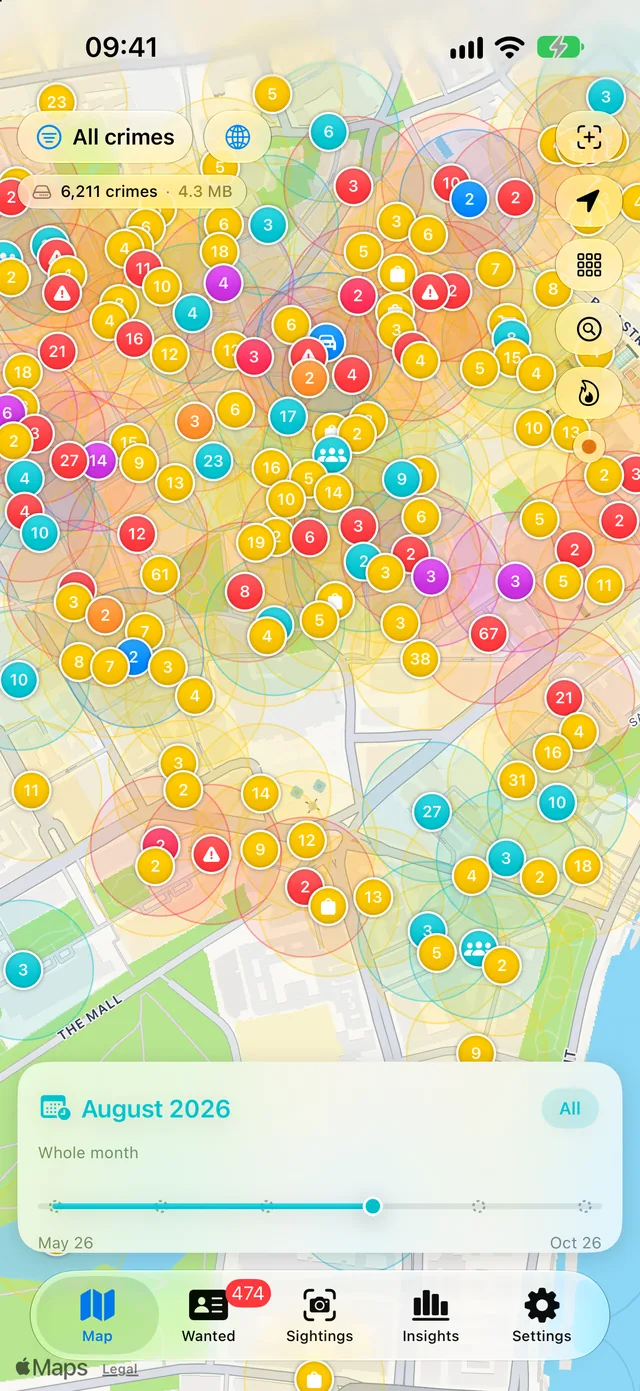
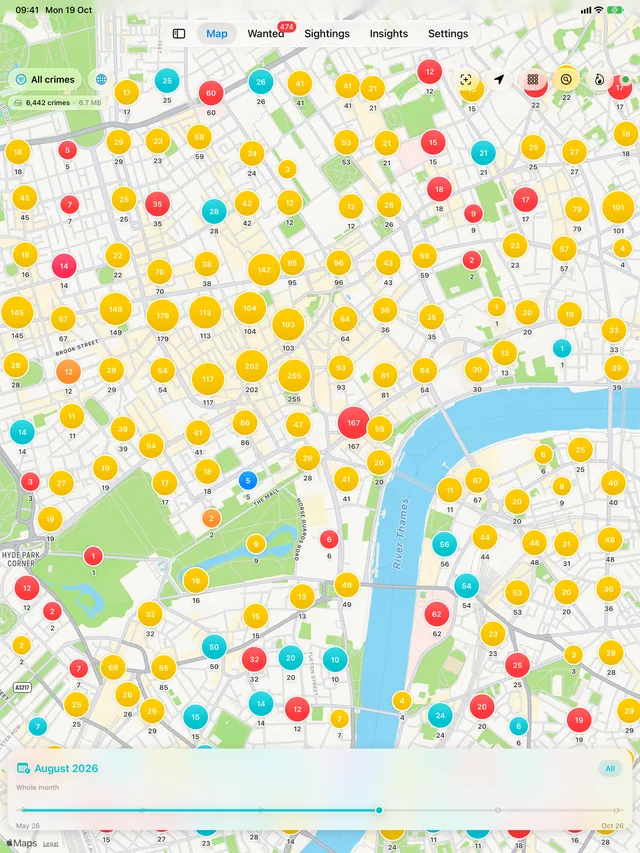
Zoom in and the clusters break apart into individual recorded incidents, each marked by category. Step back through the months with the slider, filter to the kinds of crime you care about, and see an area as its police force reported it.
- Street-level data from data.police.uk and ten US city portals
- A month slider and category filters
- An honest note where a force publishes little or nothing
The numbers behind the map
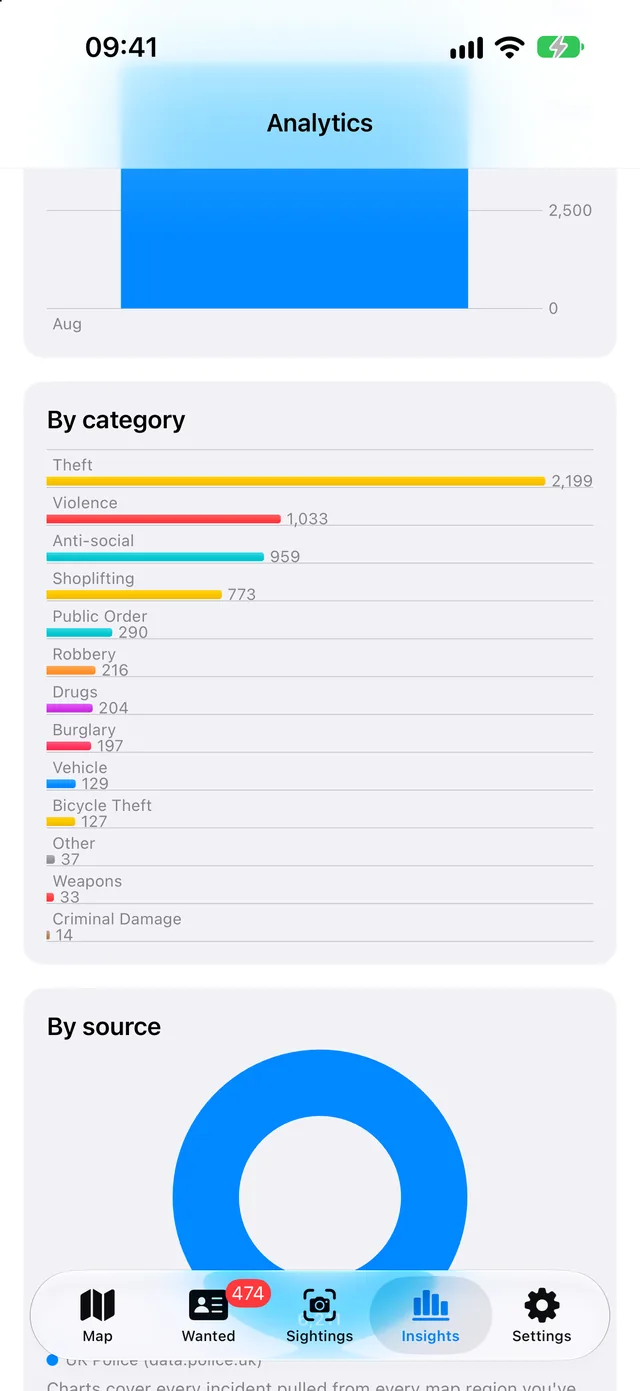
Insights turns the same data into counts: how many incidents in a month, which categories dominate, and which sources they came from. Compare areas side by side rather than eyeballing two maps.
- Totals by category and by source
- Trends over the months the source publishes
- Compare one area with another
The official tip line comes first
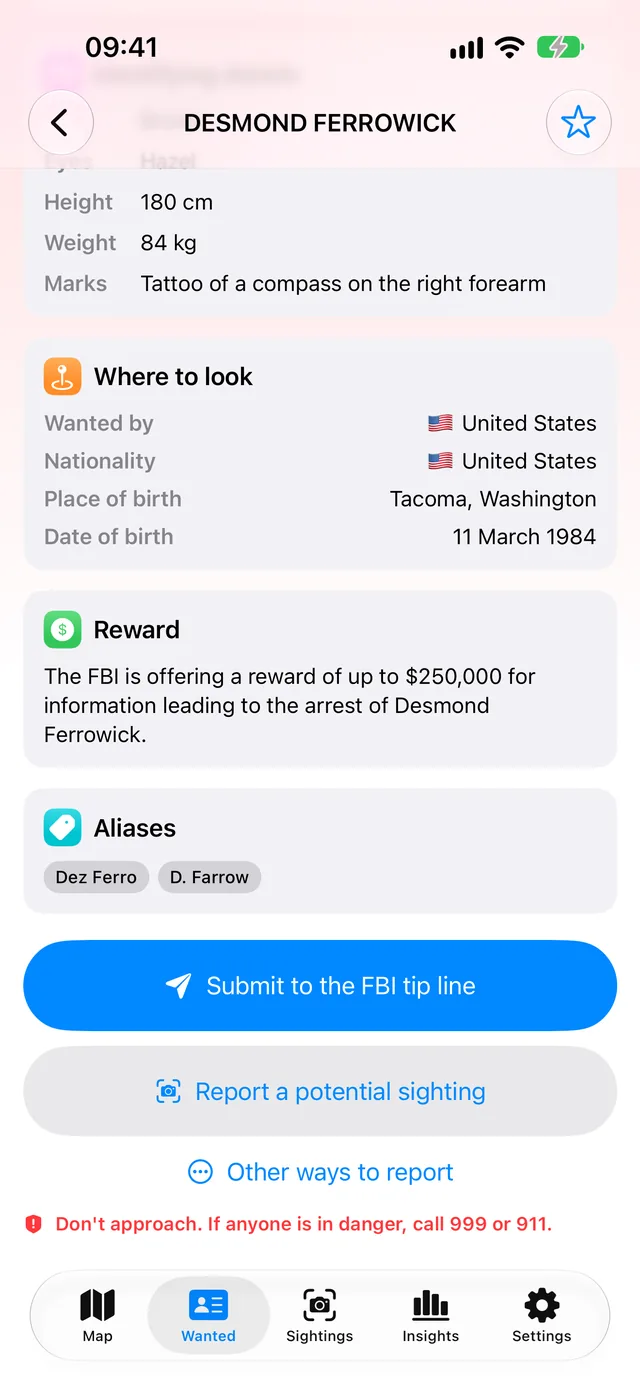
A wanted notice shows what the issuing agency published — what the person is wanted for, a description, where to look, any reward and known aliases — and its first action is that agency’s own tip line. The app says plainly not to approach anyone, and to call the emergency number if someone is in danger.
- INTERPOL Red and Yellow notices and FBI listings
- Follow a notice and hear when it changes
- Other official ways to report, one tap away
Your sightings stay with you
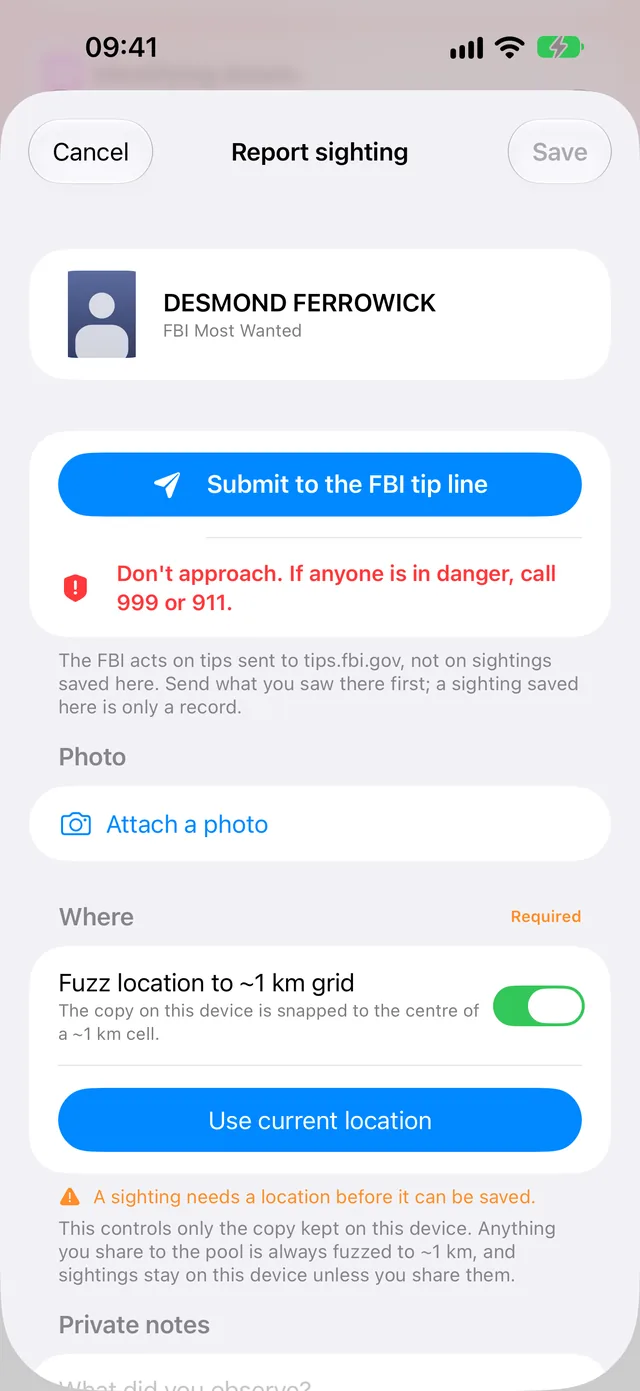
If you think you have seen someone, the sighting form keeps a private record on your device — where, when, and your own notes — with the tip line at the top. Sharing a sighting with other users is a separate choice, off by default, and even then it carries only a roughly 1 km area and the hour.
- A private log, kept on your device
- Photo location data removed when you attach one
- Only sightings of fugitives can be shared, and never with a photo
What is in it
The crime map
- Recorded crime for England, Wales and Northern Ireland, and ten US cities
- Clusters that open into individual incidents
- Month slider and category filters
- Insights: totals, categories, sources and area comparisons
- An optional London fire and animal-rescue layer, off by default
Wanted and missing
- Public INTERPOL Red and Yellow notices
- FBI notices: wanted, missing-person and seeking-information listings
- Follow a notice to hear when it changes
- The official tip line as the first action on every notice
Watching and alerts
- Watch an area as a circle or a shape you draw
- Notifications when something new is recorded there
- Home Screen and Apple Watch widgets
- Siri and Shortcuts: Crime Near Me, My Watched Areas, Log a Sighting
Sightings
- A private sightings log, kept on your device
- Optional sharing with others, one sighting at a time
- Nearby shared sightings, centred on you or on a watched area
- Flag and block in the shared pool
- Log a sighting from Apple Watch
More screens
On iPhone · 1 screens
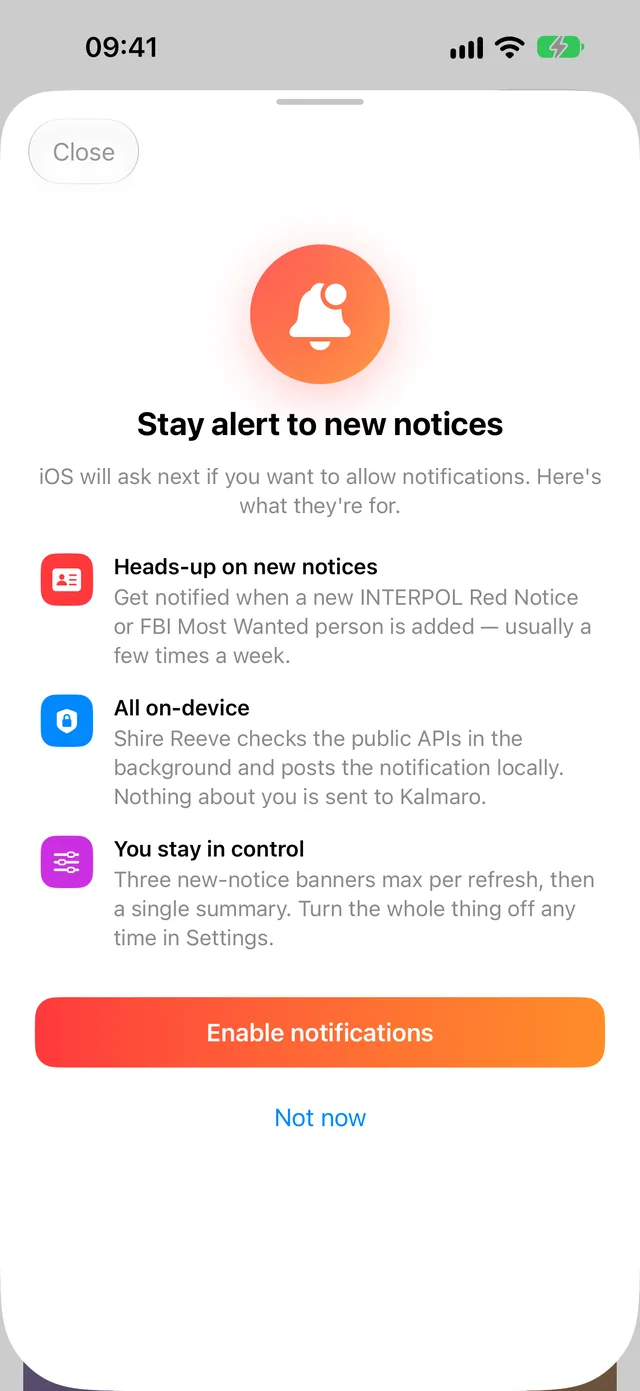
Notifications
On iPad · 5 screens
Crime map 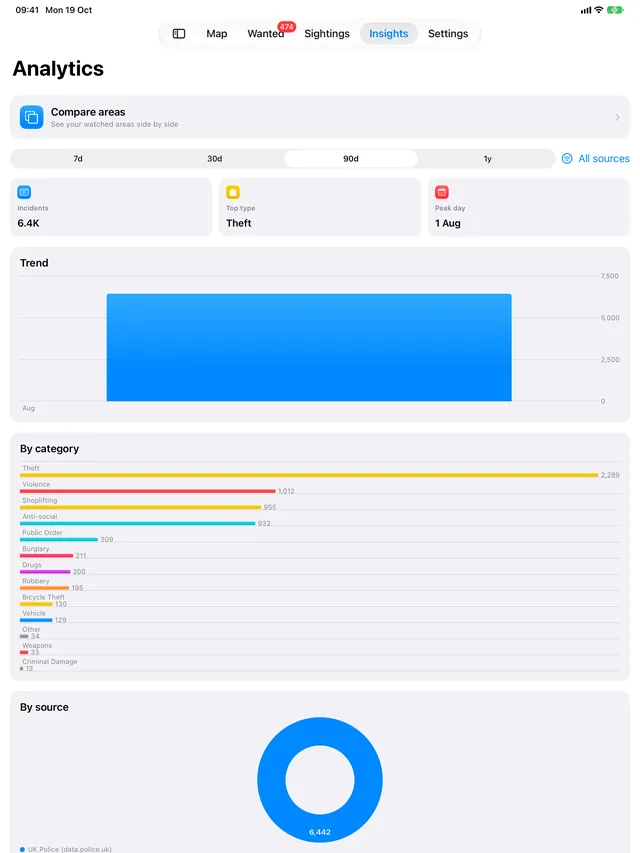
Insights 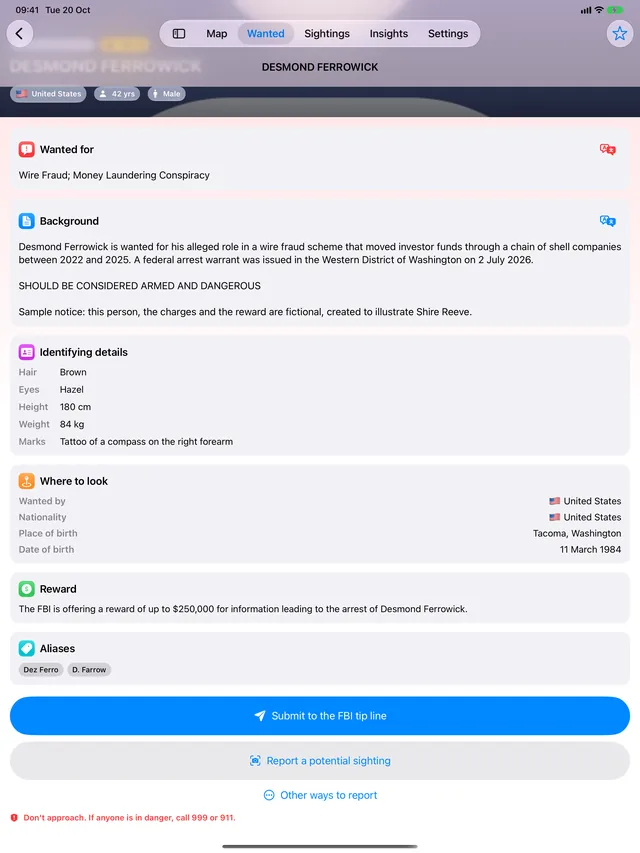
Wanted notice (sample, photo removed) 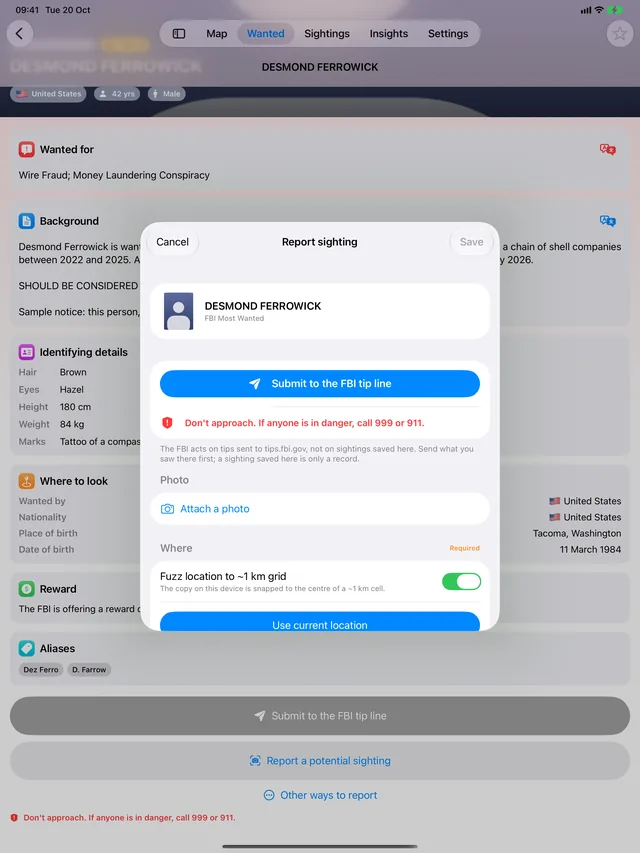
Report a sighting (sample, photo removed) 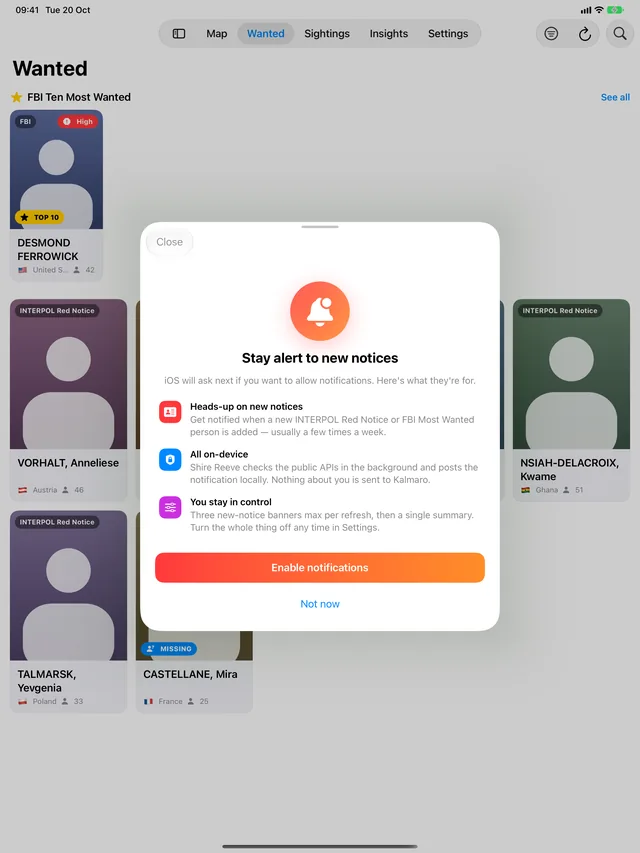
Notifications (sample, photos removed)
On Mac · 3 screens
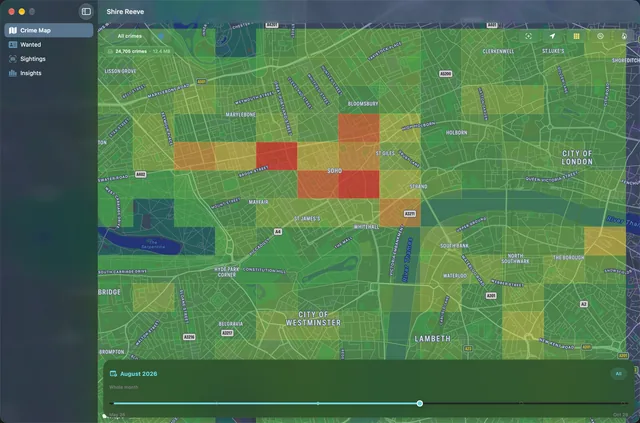
Crime map 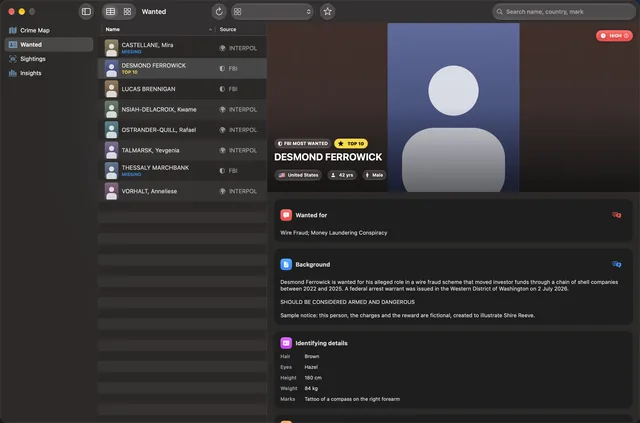
Wanted (sample, photos removed) 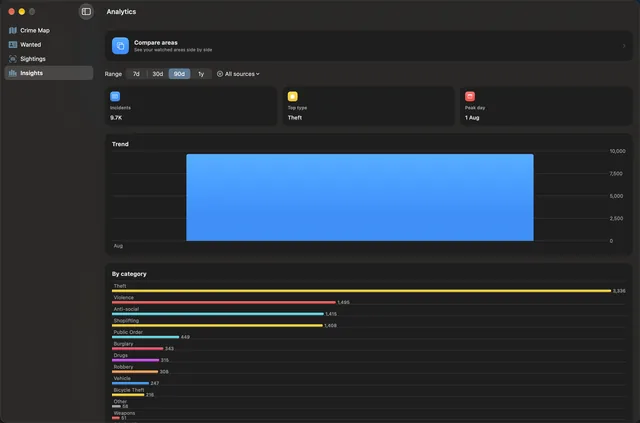
Insights
Captured from a pre-release build. Every wanted notice in these screenshots is a fictional sample made for them, drawn with a silhouette in place of a photo. In the app, real notices show whatever photos their agencies publish.
Good to know
- Where does the crime data come from?
- From the organisations that publish it: data.police.uk for England, Wales and Northern Ireland, and each US city’s own open-data portal for the ten cities covered. Shire Reeve shows it as published, so it carries the same delays, gaps and revisions as the source — police data is typically published a month or more after the events it records.
- Why is the map empty in Scotland?
- Police Scotland does not publish street-level crime to data.police.uk, so there is nothing to show, and Greater Manchester Police currently publishes very little. The app says so over those areas rather than leaving a blank map to look broken.
- Is Shire Reeve connected to INTERPOL, the FBI or the police?
- No. It is independent, and not affiliated with or endorsed by any of them. It displays their public notices and data, and sends you to their official channels to act on them.
- What should I do if I think I have seen someone on a notice?
- Do not approach them. Use the official tip line, which is the first button on every notice, and if anyone is in danger call your local emergency number (999 or 911, for example). A sighting saved in the app is a note for yourself; the authorities act on tips sent to them, not on sightings kept in Shire Reeve.
- Are my sightings shared?
- Not unless you choose. Sharing is off by default and needs you to accept its terms first, and even then each sighting is shared only if you pick it. A shared sighting carries a roughly 1 km area, the hour, a few fixed choices and an optional short note — never a photo. Only sightings of people wanted as fugitives can be shared, never of missing people, victims or people the FBI is asking the public about. Shared sightings are pseudonymous rather than anonymous; the privacy notice explains exactly why.
- Do I need an account?
- No. There is no Shire Reeve account and no sign-in. Sharing or flagging a sighting needs you to be signed in to iCloud on the device; everything else works without it.
- Does it cost anything?
- No. Shire Reeve is free, with no in-app purchases, no subscription and no ads.
- Which devices does it run on?
- iPhone, iPad, Mac and Apple Watch. The watch app shows wanted notices and lets you note a sighting from your wrist.
Coverage
Crime data: England, Wales and Northern Ireland from data.police.uk — not Scotland, where Police Scotland does not publish to it, and only sparsely in Greater Manchester. In the US, ten cities only: Chicago, New York City, Los Angeles, San Francisco, Seattle, Dallas, Philadelphia, Cincinnati, Buffalo and Baton Rouge. Wanted and missing-person notices: INTERPOL and the FBI.
Data sources
- Police.uk: contains public sector information licensed under the Open Government Licence v3.0.
- London Fire Brigade incident and animal-rescue data from the London Datastore: contains public sector information licensed under the Open Government Licence v2.0 (incident records) and v3.0 (animal rescues).
- US crime data is published as open data by each city, whose police department is the data owner; it is shown as published and may be incomplete, delayed or revised.
- Wanted and missing-person notices from INTERPOL’s public notices service and the FBI’s public API.
Shire Reeve is coming soon
Crime on a map from the police sources that publish it, and public wanted notices — with the official tip line first.
Free. No ads, no subscription, no in-app purchases.
Coming soon to the App Store